Scoresheet replaces the scrap of paper, the arguments over totals and the “whose turn is it?” It keeps the running score, rolls the dice, spins for decisions, seats the teams and runs the clock — for the games you already play.
Free · iPhone · iOS 17 or later · English & Türkçe
Six tools, one table
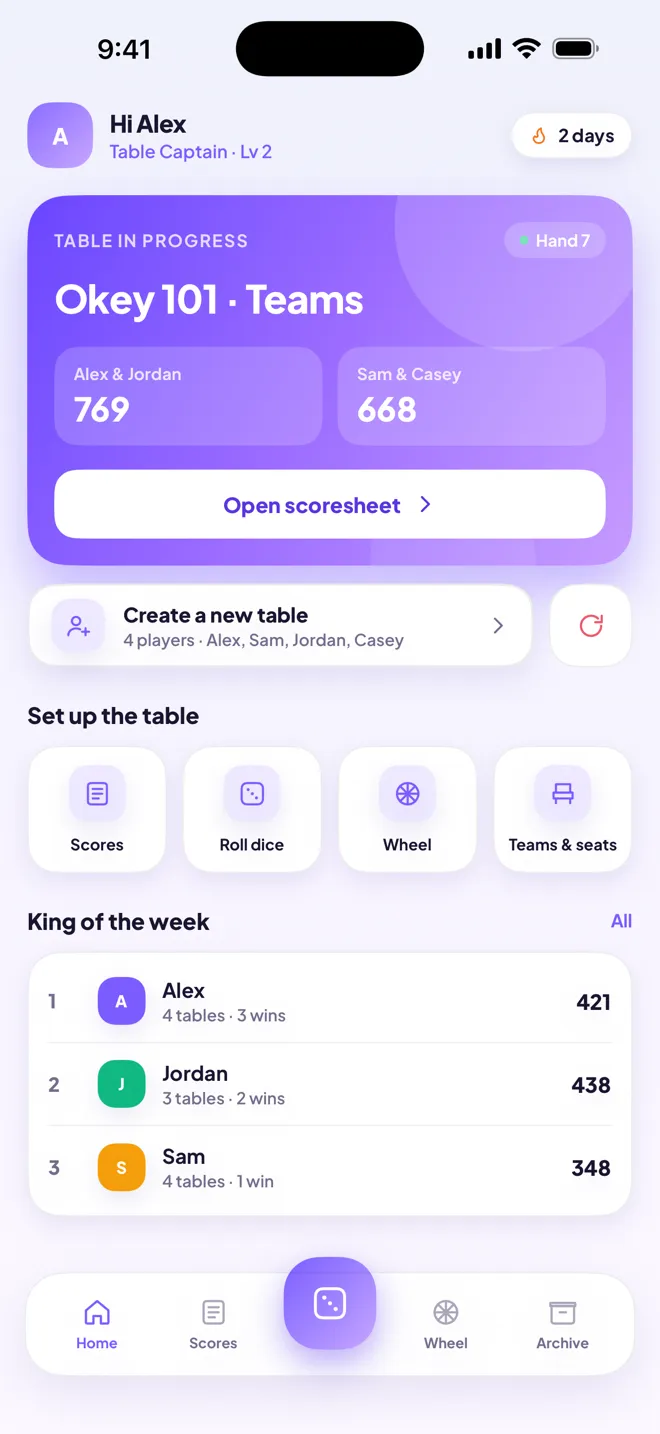
Set up your players once. Every screen — the scoresheet, the wheel, the seating chart, the clock — is fed from that same list.
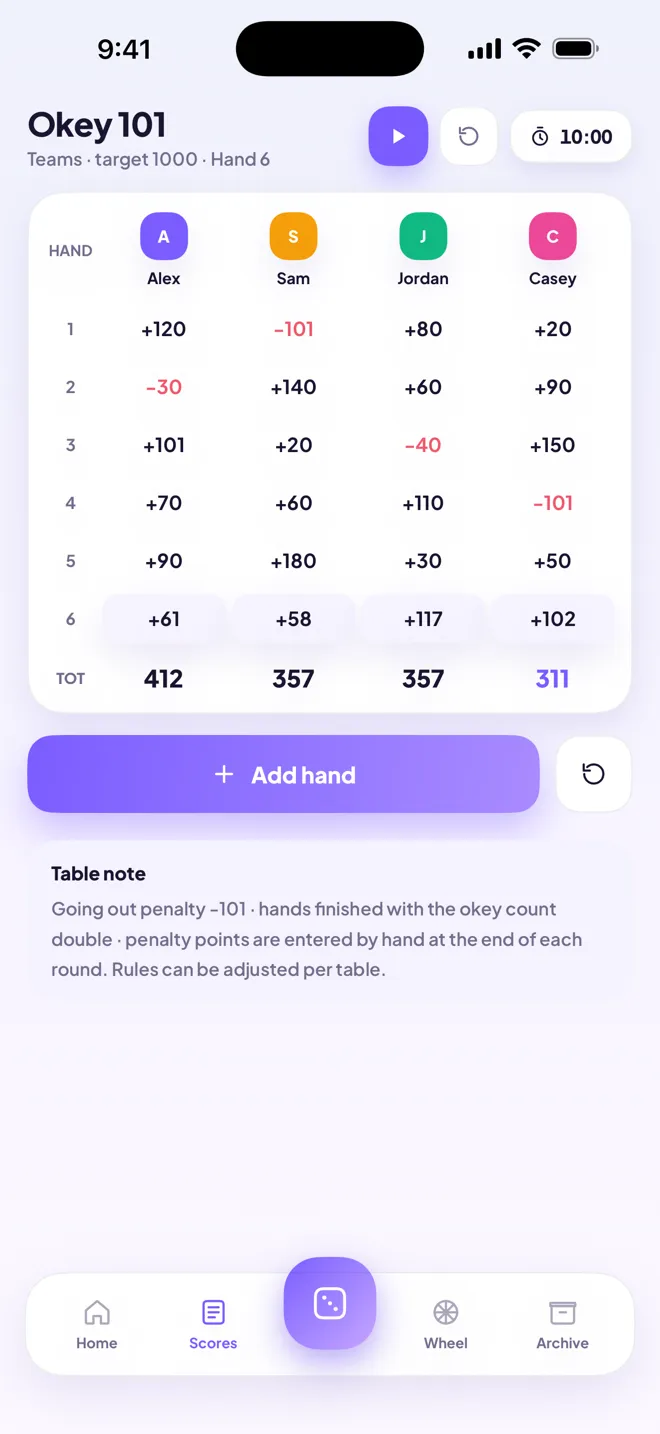
Hand by hand, with a running total under every player. Negative scores show in red, the leader is highlighted, and the last hand is always easy to find.
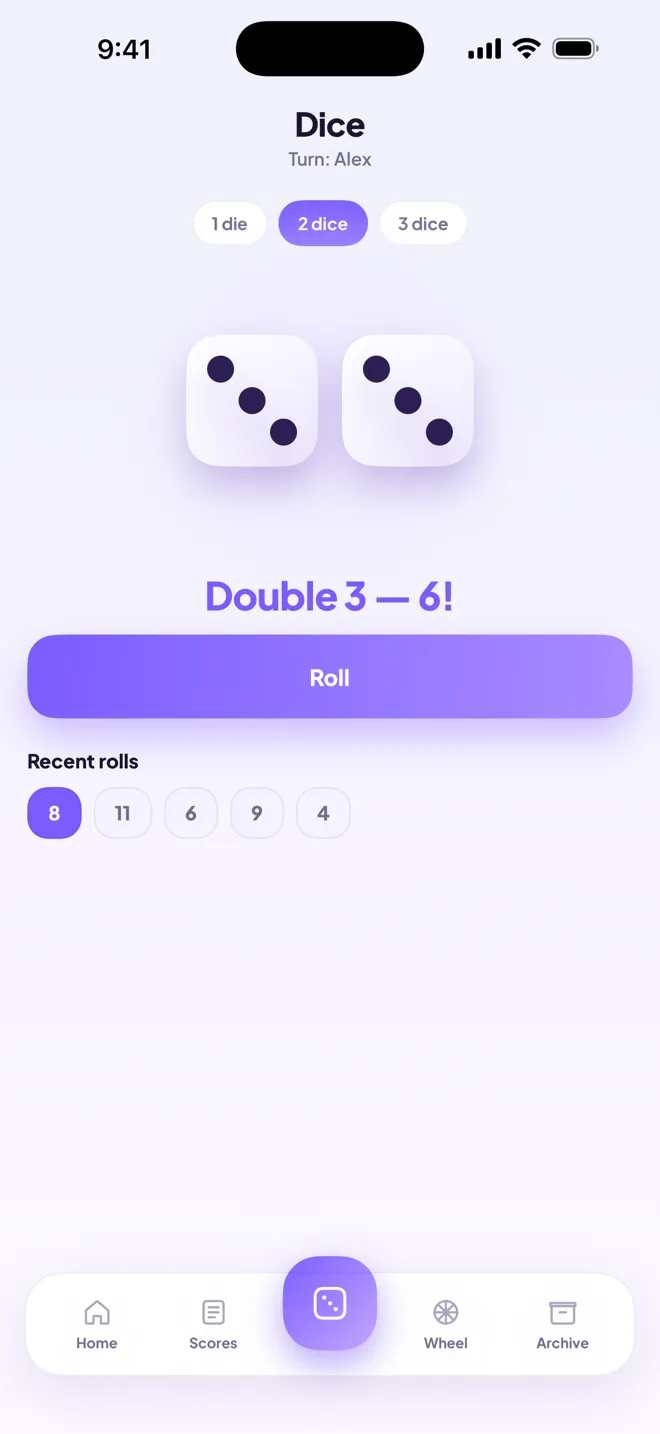
One, two or three animated dice that tumble and settle. Doubles are called out. The last six rolls stay on screen, so nobody has to remember what came up.
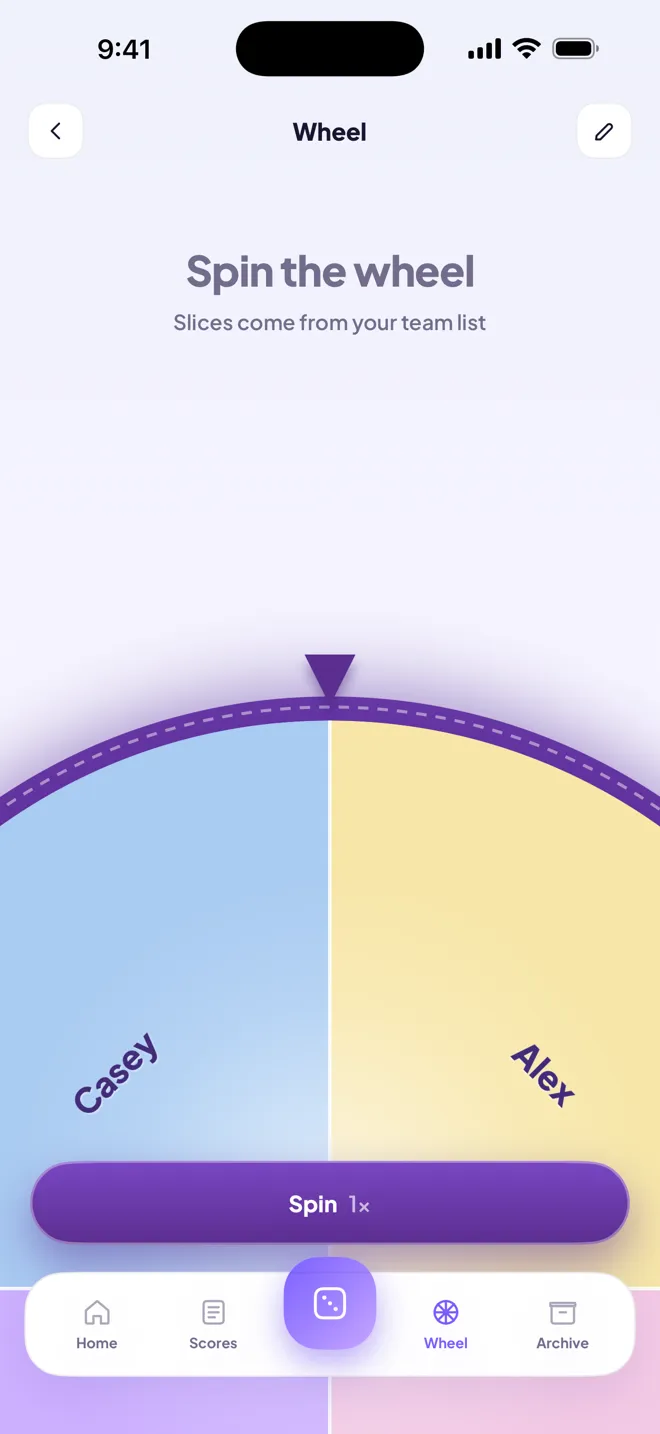
Who deals? Who makes the tea? Who sits out this hand? Spin the wheel and let it decide. Slices come straight from your player list, or write your own.
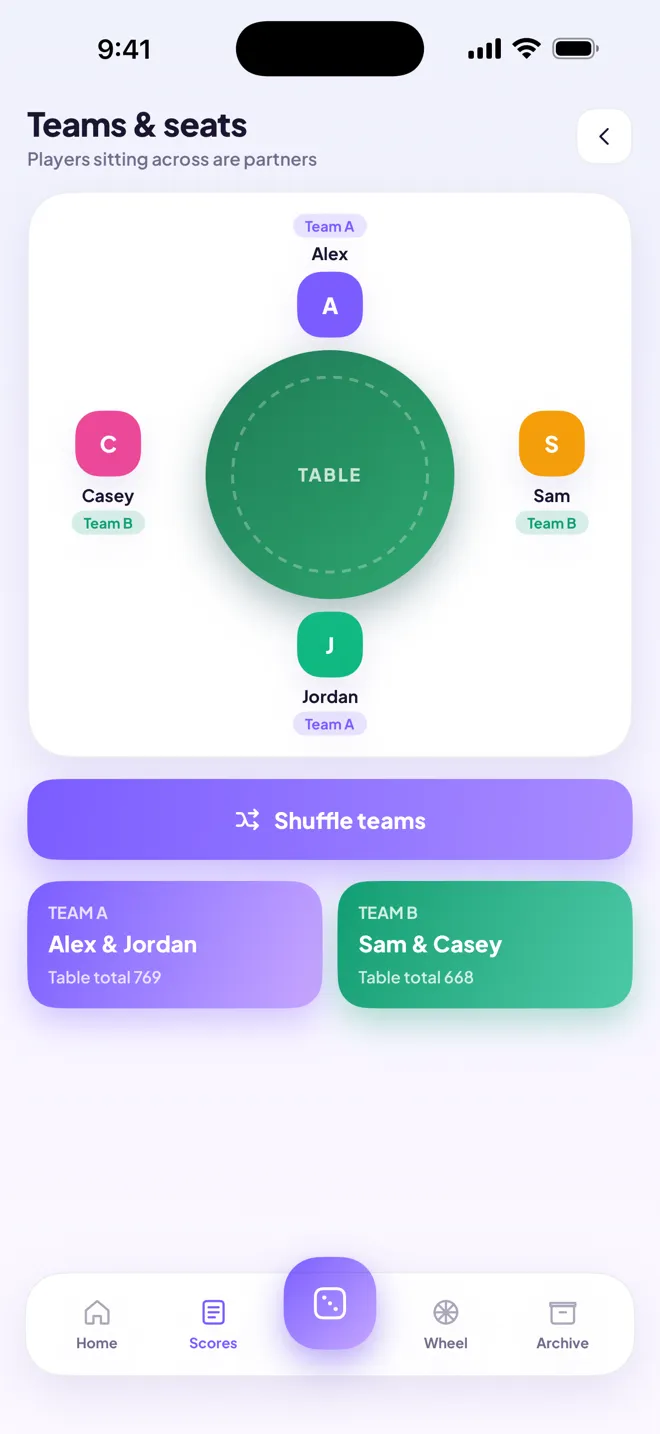
A seating chart that mirrors the real table. Players sitting across from each other are partners — shuffle the seats and the teams re-form in front of you.
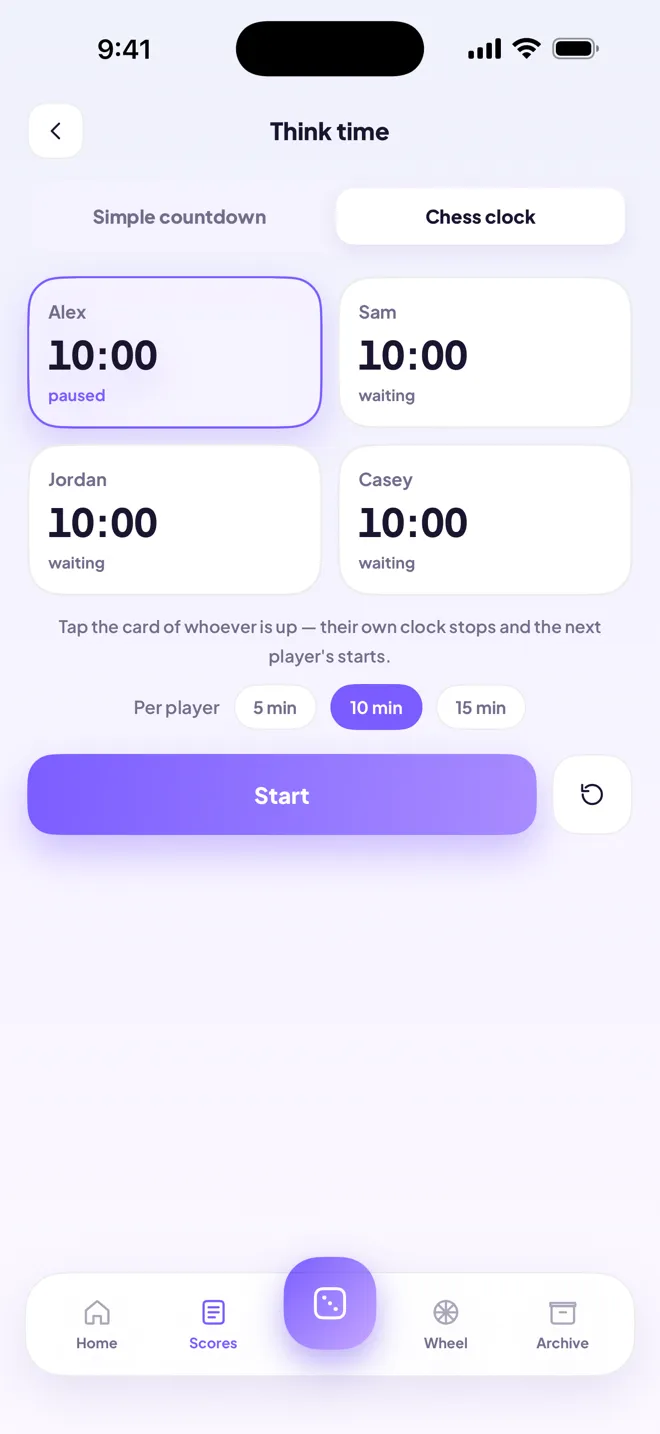
Every table has one. Choose a simple countdown for each move, or a full chess clock that gives every player their own budget. Tap a card to pass the turn.
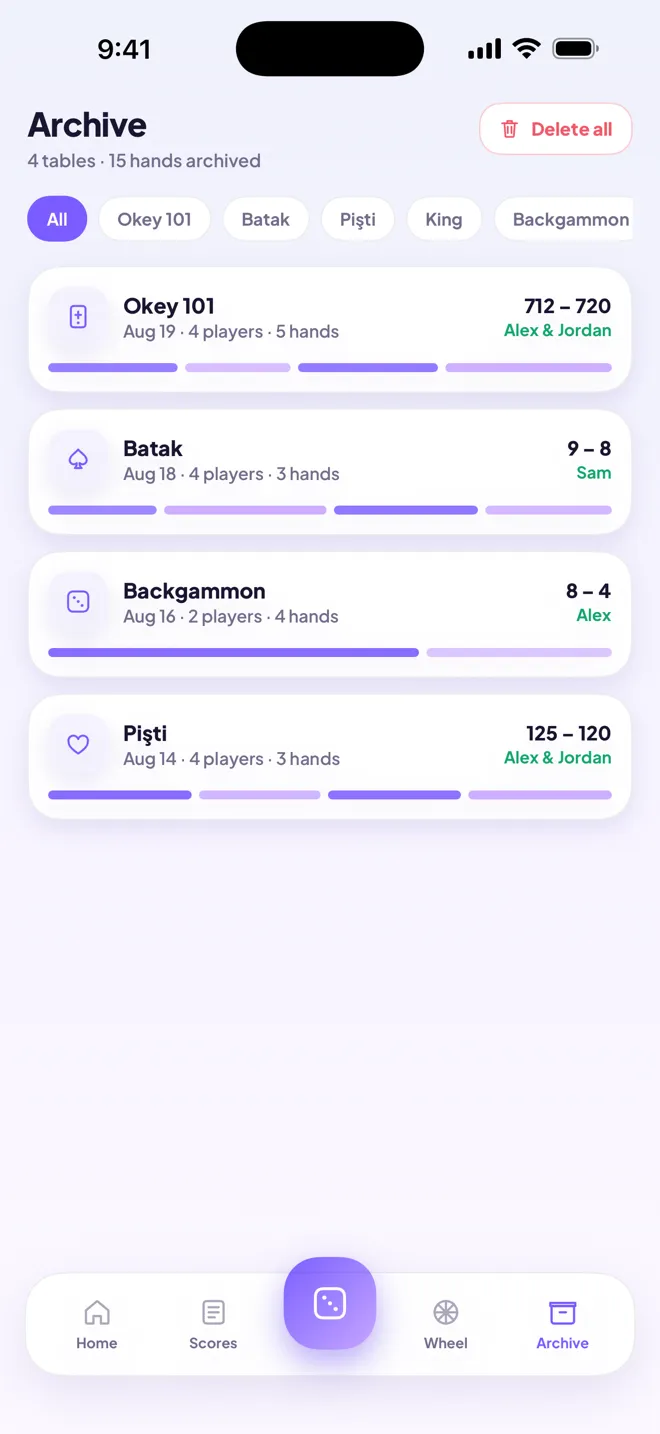
Finish a table and it moves to the archive with the winner, the final score and the full hand-by-hand breakdown. Months later you can still settle the argument.
Built for these, works for more
Pick a game and the scoresheet sets itself up. Playing something else? Any game you keep a score for works — the sheet takes any number, positive or negative.
Privacy
Scoresheet has no servers, no accounts and no networking code at all — it runs exactly the same in Airplane Mode. Your players and your archive live in the app's own storage on your device, and nobody else can read them.
Questions
No. There is no sign-up, no sign-in and no email required. Open the app, name your players and start playing.
No — that's the point. One phone sits in the middle and does the bookkeeping for the whole table, the way a sheet of paper used to.
Always. The app contains no networking code, so there is nothing to lose when you go offline. It behaves identically in Airplane Mode.
Pick whichever of the six is closest and use the sheet as-is. It accepts any positive or negative number per hand, so it covers almost any game where you keep a score.
Yes. Your data is part of your normal encrypted iPhone backup, so restoring a backup brings it along. You can also export a copy from Profile → Export data at any time and keep it yourself.
Free. There are no in-app purchases, no subscription and no ads.
Scoresheet is finishing its final checks before release. It will be free on the App Store for iPhone, in English and Turkish.
 Scoresheet